Name Tracing Worksheets Generator (Free, Printable PDF)
Type your child's name and this name tracing generator draws the worksheet right here on the page: print, D'Nealian-style or cursive letters, dashed or hollow outlines, three-line handwriting paper, as many rows as you want. Then print it or download a PDF. Free name tracing worksheets with no account, no watermark and nothing uploaded.
How to make name tracing worksheets with this generator
- Type the name. First name, full name, a nickname, or several names, one per line or separated by commas, up to thirty at a time. Capital-first-letter is the default; switch to all capitals or all lowercase if that is what the child is learning.
- Pick the handwriting style. Print is the upright ball-and-stick alphabet most children learn first. D'Nealian-style is the slanted print with little tails that some schools use to make the move to cursive easier. Cursive joins the letters.
- Choose how the letters look. Dashed outlines are the classic tracing letters. Dotted outlines are lighter and leave more of the shape to the child. Hollow outlines show the whole letter so a crayon can colour it in. Light gray fill is for children who are ready to write over a faint model.
- Set the lines and rows. Three-line paper, two lines, a baseline or nothing; and three to twelve rows per page. Fewer rows means bigger letters.
- Print or download. The Print button opens your printer dialog with the pages laid out at full size. Download PDF saves a file you can print later, email to a parent or add to a lesson folder.
The preview updates as you type, so you can see every change before a single sheet is printed. Each page is drawn for US Letter or A4 paper at 300 dots per inch, which is what a home or school printer expects.
Free name tracing worksheets with lines: print, D'Nealian-style and cursive
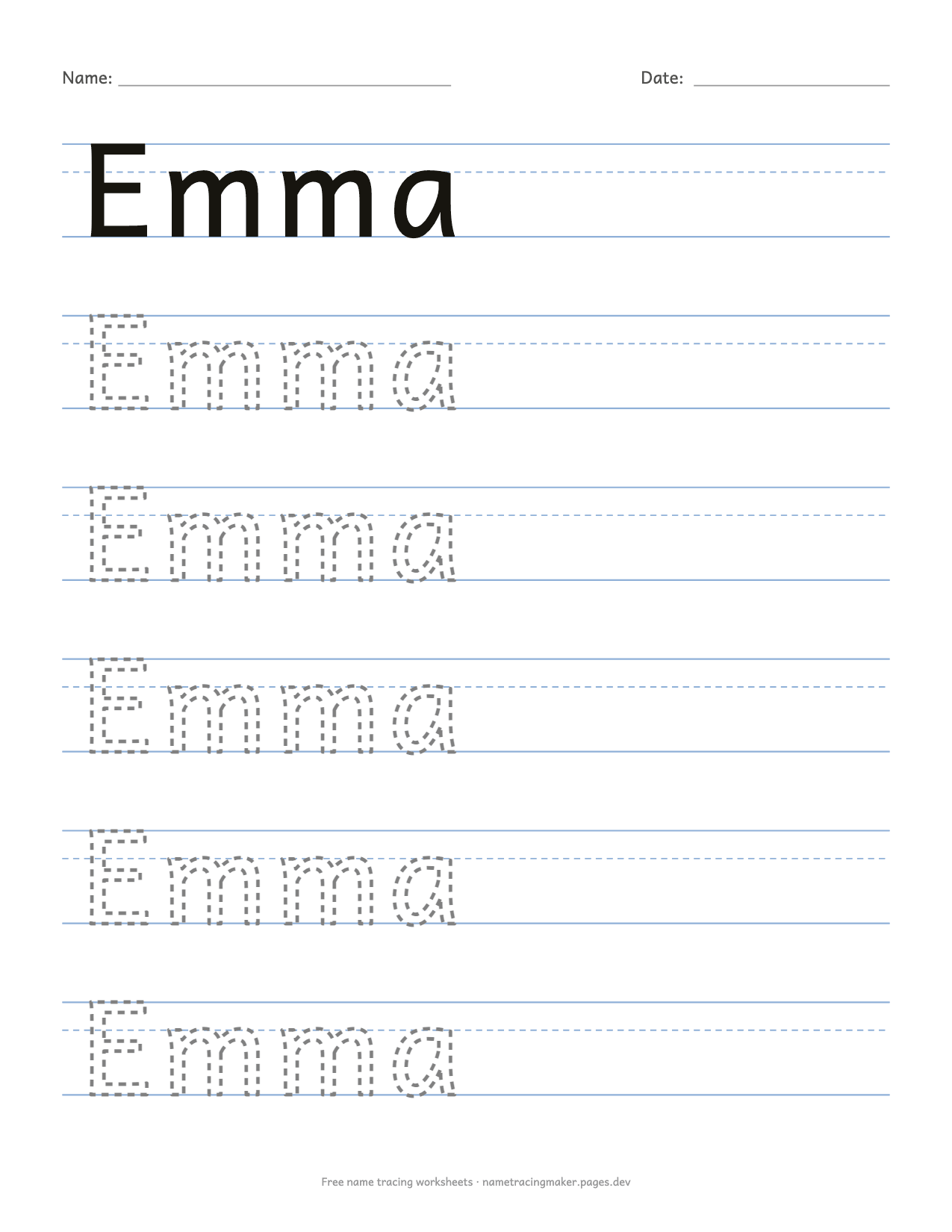
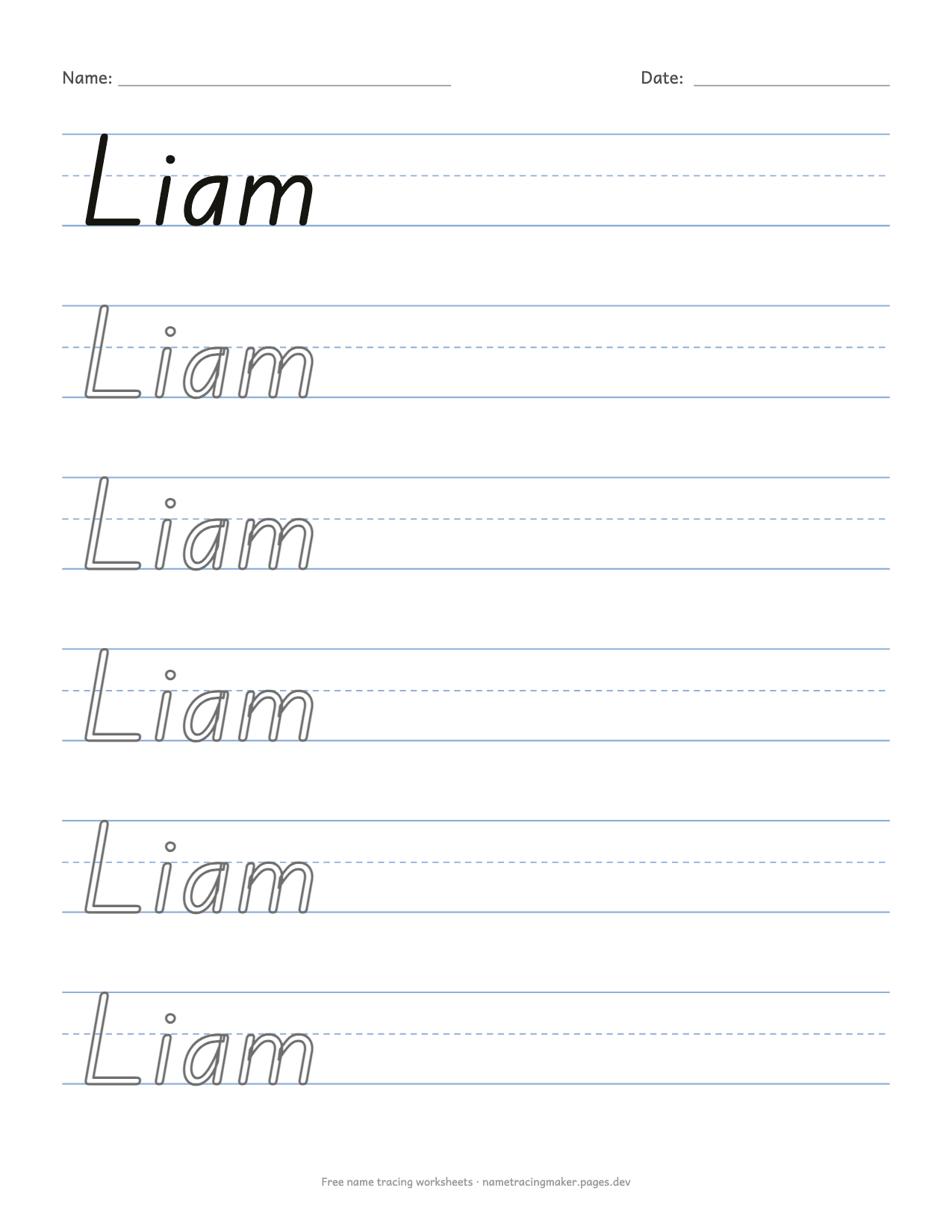
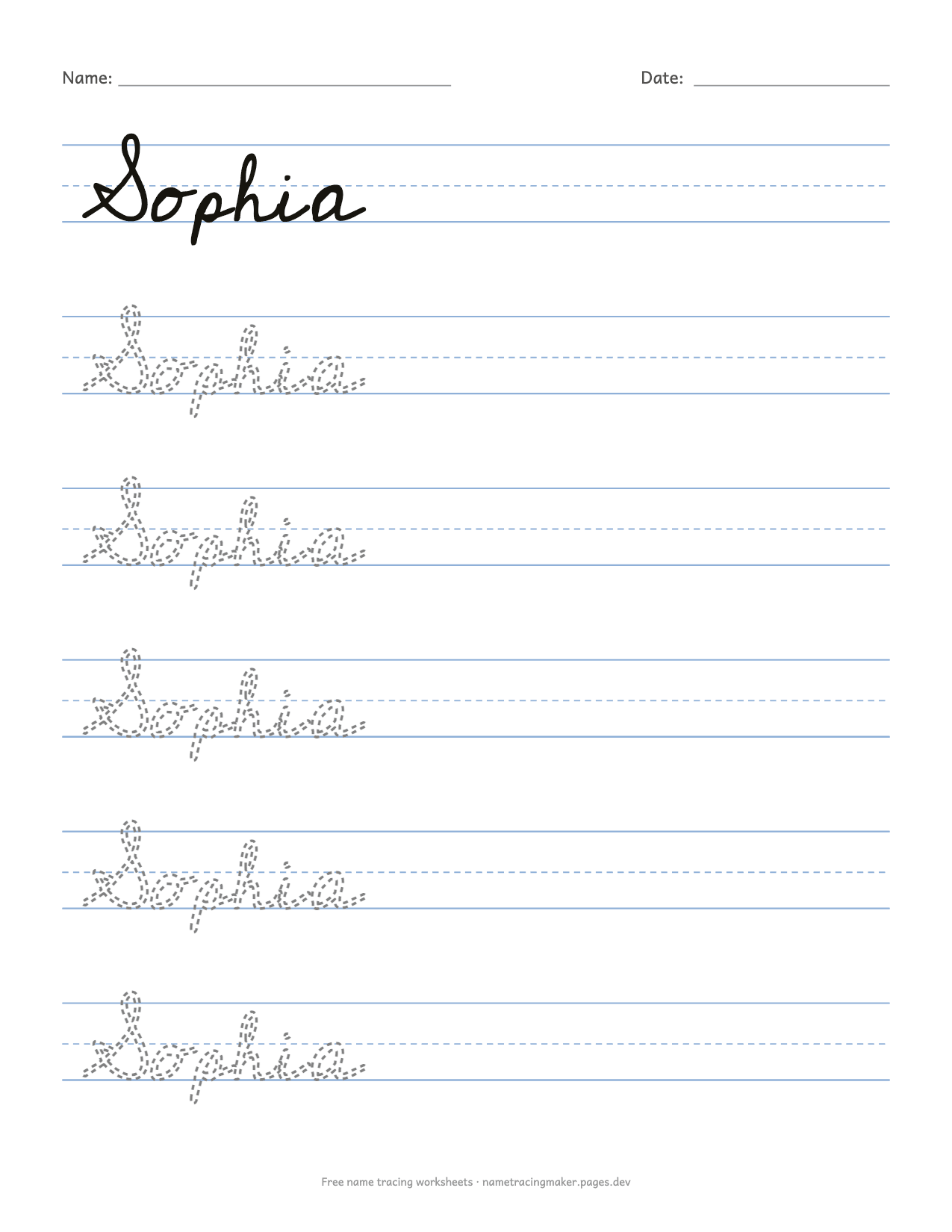
Most tracing printables you find online come in one fixed style. Here the same name can be printed three ways, which matters more than it sounds. A kindergarten teacher wants plain print letters on wide lines. A second-grade teacher who has just started cursive wants the joined version of exactly the same name. A parent whose school uses a slanted print wants the letters to look like the ones on the classroom wall, not a different alphabet. Switching between the three styles takes one click, and everything else, including the name, the rows and the paper size, stays the same.
The guide lines are drawn to match the letters, not the other way round. The top line sits at the height of the capital letters, the baseline is where every letter stands, and the dashed middle line is at the real height of the small letters in the chosen font. Tall letters such as b, d and l reach the top line; letters with tails such as g, j and y hang below the baseline, as they should.
Dashed, dotted, hollow or gray: which tracing letters to use
Children do not stay at one stage, so the generator offers four kinds of letter and you move through them as the child improves.
- Hollow outlines are the easiest. The whole letter is visible and the child colours or traces inside the shape, which also builds the hand strength needed to hold a pencil.
- Dashed outlines are the standard tracing letter. The dashes give the pencil a path to follow while leaving small gaps to bridge.
- Dotted outlines show less. The child has to recall more of the letter shape and only uses the dots as checkpoints.
- Light gray fill is the last step before writing alone: a faint whole letter that the child writes over with a dark pencil.
Tick First row in solid black to put a finished example at the top of the page, and Last row empty to leave a lined row at the bottom where the child writes the name with no help at all. Both options appear on the preview immediately.
Tips for teaching a child to write their name
A name is usually the first word a child writes, because it is the word they care about most. A few things make the practice go better.
- Start with a capital first letter and lowercase after it, the way the name is written in books and on the classroom coat hook. Writing a name in all capitals is easier at first, but it has to be unlearned later. Use the all-capitals option only if the child's teacher asks for it.
- Trace with a finger before a pencil. Print one hollow-outline sheet and let the child trace the letters with a fingertip, then with a crayon, then with a pencil.
- Keep sessions short. One or two rows done carefully are worth more than a whole page done in a rush. The rows-per-page option exists so you can print a four-row sheet for a three-year-old and a ten-row sheet for a six-year-old.
- Laminate one copy or slip the sheet into a plastic sleeve, and the child can trace it again and again with a dry-erase marker.
- Say the letter names while tracing. Tracing teaches the hand; naming the letters teaches the child what the marks mean.
Name tracing worksheet PDF: printing tips
Choose the paper size before you print: US Letter for North America, A4 almost everywhere else. The PDF is built at that size, so in the print dialog set the scale to 100 percent rather than “fit to page”, or the lines will come out slightly smaller than designed. Ordinary copier paper is fine for pencil work; for crayons or repeated use, print on card stock. Black-and-white printing is all you need, since the guide lines are drawn in a pale blue that prints as a light gray.
If you prefer a file to a print dialog, the name tracing printable page explains the PDF options in more detail, and the preschool page has settings tuned for the youngest writers.
Editable name tracing worksheets for a whole class
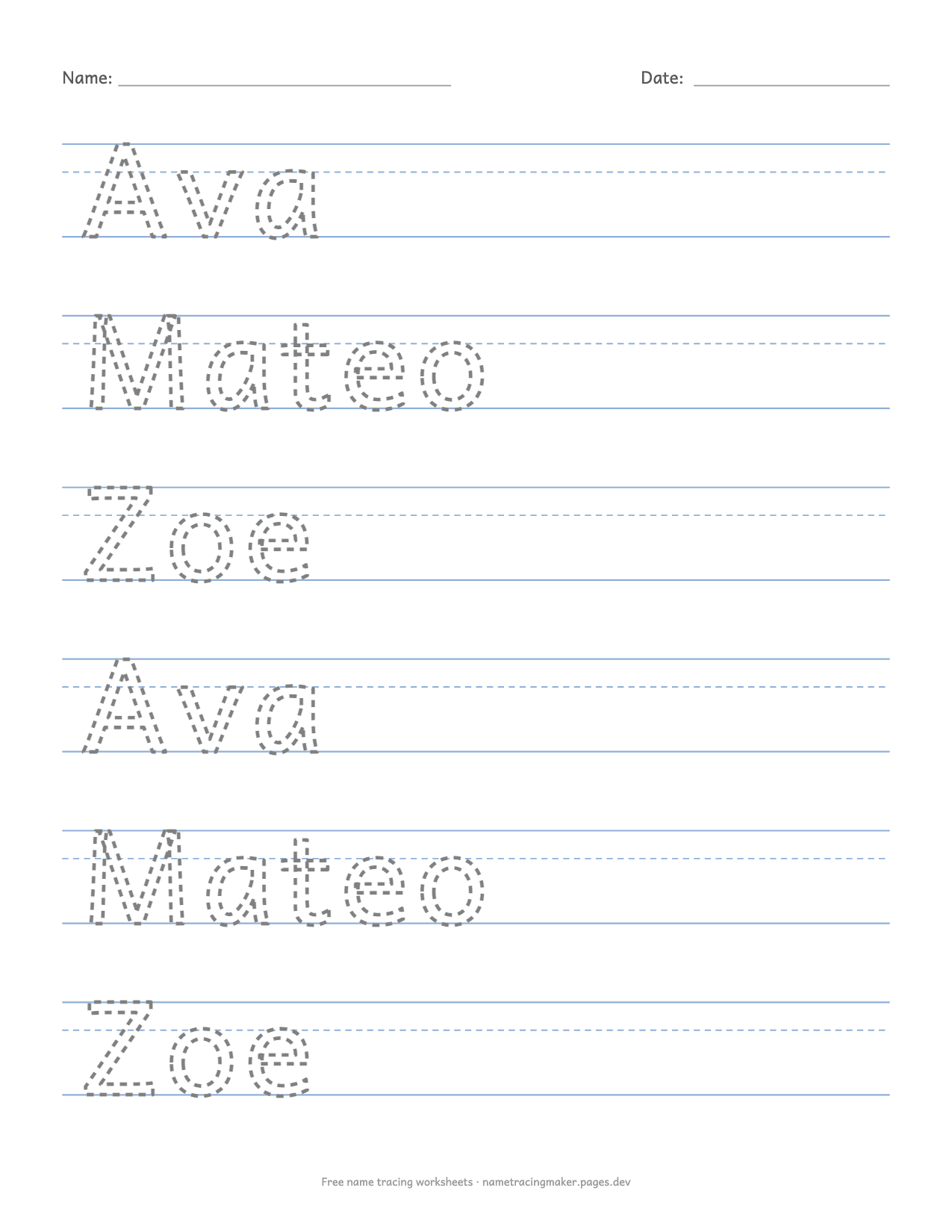
Because the worksheet is generated rather than drawn by hand, it is editable in the only way that matters: change the name and the whole sheet changes. Paste a class list into the name box, one name per line (commas work too, up to thirty names at a time), and press Download PDF once. Each child gets a page with their own name, all in the same style, in the order you typed them. For siblings or a small group, choose Mix the names on one page and the names take turns row by row; with the solid model row on, each name's first row on the page is the solid one.
The three fonts cover the Latin alphabet with its accents, so José, Zoë and Søren come out right; a name in another script is drawn in your device's own font, without the handwriting shapes. Everything on this page runs in your browser. The name is never sent to a server, there is nothing to sign up for, and the sheet you print has no logo across it, only a small line of text at the bottom that you can switch off.
Questions parents and teachers ask
Is this name tracing generator really free?
Yes. Every option on the page is free, there is no account, no watermark on the worksheet and no limit on how many names or pages you make. The site is paid for by nothing at the moment; if ads appear later they will stay off the printed sheet.
Can I make name tracing worksheets for a whole class at once?
Yes. Type one name per line in the box. By default each child gets their own page, so a class of twenty names becomes a twenty-page PDF. Choose “Mix the names on one page” if you want several names on a single sheet, for example for siblings.
Which handwriting style should I choose?
Use print (ball-and-stick letters) unless the child's school teaches something else. The slanted D'Nealian-style letters suit schools that use a continuous-stroke print, and cursive is for children who already write print letters comfortably. When in doubt, ask the teacher which style the class uses.
Do the worksheets have lines?
Yes, by default each row sits on three-line handwriting paper: a top line, a dashed middle line at the height of the small letters and a baseline. You can switch to top-and-bottom lines only, a baseline only, or no lines at all.
Why does the letter size change when I type a longer name?
The generator keeps every row on one line and never cuts a name in two. A long name such as Alexandria is drawn smaller so it fits across the page; a short name such as Ava is drawn as large as the row allows. Fewer rows per page also means bigger letters.
Is the name I type stored or sent anywhere?
No. The worksheet is drawn by your own browser on your own device. Nothing is uploaded and nothing is saved on a server.